

Run your Microsoft 365 practice from one suite.
Hub and ten apps for Microsoft 365 consultants, MSPs, and IT teams. One sign-in.
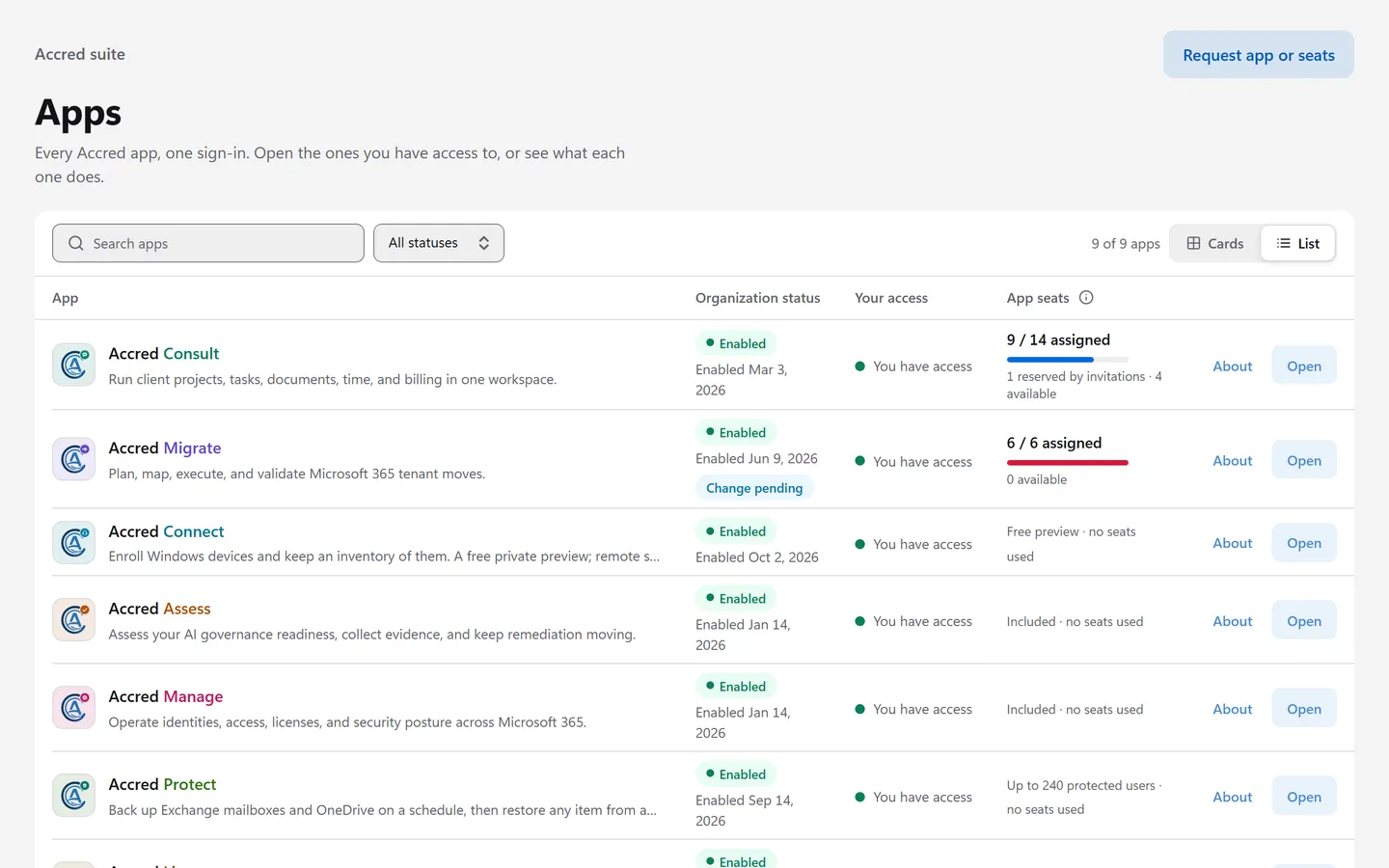
Accred HubSuite sign-in, access, and billing
Sign in once. Hub opens the rest.
- Sign in at Accred HubWith your Microsoft account, or your work email and password.
- Hub checks your accessYour organization, your role, and your seat in each app.
- Open the apps you useEach app opens with single sign-on.
Turn on only the apps you need.
- Accred HubSuite sign-in, access, and billing
- Accred ConsultLive delivery, support, and approval workflows
- Accred MigrateMicrosoft 365 tenant-to-tenant migrationEarly access
- Accred ConnectDevice enrollment and inventory, in previewPreview
- Accred AssessAI governance readiness assessment
- Accred ManageMicrosoft 365 tenant administration and governance
- Accred ProtectMicrosoft 365 backup and restore$2.50 per user per month
- Accred LicenseMicrosoft 365 license optimization and orderingIncluded in Hub
- Accred FleetOne view across every customer tenantIncluded in Hub
- Accred DevicesIntune device management for client tenants$1.50 per device per month
- Accred AwarePhishing simulation reportingFree preview in Hub
See the apps at work.
Free to start. Pay only for the work you run.
Compare plans- Free
- $0
- Hub and the Connect preview for everyone, Manage for every role except Viewer, and the free Assess assessment. License and Fleet are included with no price yet, and Aware is free during its preview.
- Accred Consult
- $15 per seat per month
- $15 per seat per month for an app's first 10 seats and $12 for seats 11 to 100. Save 20% billed annually. Starts with a 30-day free trial.
- Accred Migrate
- $6 per migrated object
- No seats: every member can open it. Pay once per mailbox, OneDrive, site, team, or group, with no data caps.
- Accred Protect
- $2.50 per protected user per month
- $2.00 billed annually, with no minimum. A 30-day free trial covers up to 10 users.
- Accred Devices
- $1.50 per device per month
- $1.20 billed annually, with no minimum. A 30-day free trial covers up to 50 devices.
- Enterprise
- Custom
- 101 or more seats, volume migration pricing, invoicing, and purchase orders.
Questions
What is Accred?
Accred is Accred Hub and ten web apps for Microsoft 365 consulting firms, managed service providers, and internal IT teams. Accred Hub handles sign-in and access. Accred Consult runs client delivery and support. Accred Migrate plans and runs tenant-to-tenant migrations. Accred Connect enrolls Windows devices. Accred Assess measures AI governance readiness. Accred Manage administers a Microsoft 365 tenant. Accred Protect backs up Exchange Online and OneDrive at $2.50 per protected user per month, with a 30-day free trial for up to 10 users. Accred Devices turns a client’s Intune data into findings at $1.50 per managed device per month. Accred License finds license savings and Accred Fleet lists every customer organization; both are included in Hub with no price yet. Accred Aware reports on Microsoft Defender phishing simulations and training across client tenants, launches Microsoft’s own simulations for a client, and is free during its preview. Accred Consulting builds and supports the suite.
Which Accred apps are available today?
Hub, Consult, and Manage are live. Assess is open to anyone as a free advisory assessment. Migrate is in early access and is not certified. Connect is in private preview, with remote sessions coming soon. License and Fleet are open in Hub and included with every organization, with no price yet: License orders are simulated for now, and Fleet lists your customer organizations while its other data sources are not connected yet. Accred Protect is open in Hub at $2.50 per protected user per month and backs up Exchange Online mail and OneDrive. Accred Devices is open in Hub at $1.50 per managed device per month. Each has a 30-day free trial. Accred Aware is a free preview in Hub: it reports on Microsoft Defender phishing simulations across client tenants, and Owners and Admins can launch Microsoft's own simulations from it. Each product page says plainly what works today.
How much does Accred cost?
Hub and the Connect preview are free for your whole team, Manage is free for every role except Viewer, and Assess is free to start, with an expanded assessment at $99 one-time per organization. License and Fleet are included with no price yet, and Accred Aware is free during its preview. Accred Consult is $15 per seat per month for an app's first 10 seats and $12 for seats 11 to 100, with 20% off annual billing and a 30-day free trial; to keep using it, request seats in Hub, and Accred invoices after confirming. Accred Migrate has no seats: every member can open it, and you pay $6 per migrated object, once, with no data caps. Accred Protect is $2.50 per protected user per month, or $2.00 billed annually ($24.00 per user per year), and Accred Devices is $1.50 per managed device per month, or $1.20 billed annually ($14.40 per device per year), both with no minimum.
Can I try Accred without talking to sales?
Yes. Start a free Accred Assess readiness assessment without an account. To bring a team into the suite, create your organization in Accred Hub. You become its Owner and turn on apps. Turning on Consult starts a 30-day free trial right away. Connect and Migrate are free to turn on; Migrate charges only per migrated object. Owners invite members by email from Hub or with a shareable invite link.
How does sign-in work across the apps?
Members sign in once to Accred Hub. Hub confirms organization membership and each app’s access rules, then opens the app with single sign-on. Every app’s top bar shows Hub and your organization’s apps as tabs, and the All apps menu lists every Accred app. An app you cannot open stays listed with the reason.
Is Accred Assess a compliance certification?
No. Assess produces advisory AI governance readiness. Framework views such as HIPAA, SOC 2, and NIST AI RMF show readiness against your recorded decisions, not compliance, legal assurance, or certification.
Does Accred change my Microsoft 365 tenant?
Only where an app says so, and only after the action is reviewed. Assess discovery is read-only. Manage shows the tenant and effect of a supported action before it runs and logs every change. Single changes, such as removing a group member, run after a confirmation, and onboarding, offboarding, and access-review removals need a second owner or administrator to approve. Migrate scans, prechecks, and validation are read-only and never write to the destination tenant. Migration runs copy data into the destination tenant, and Migrate changes the source tenant only through the explicit Cutover steps an operator chooses to run.
Does this website collect my data?
Page-view counts, and what you type into the setup assistant if you use it. This public site has no advertising tags and sets no cookies. It uses Cloudflare Web Analytics to count page views and measure page speed, without cookies and without tracking you across sites. The optional setup assistant sends your questions to Anthropic, PBC to write answers; Accred does not store the conversation, and Anthropic deletes it within 30 days. Sign-in and product data are handled by Hub and each app under their own notices.